
What Does an Engine Tune-Up Actually Include?
Your car has been feeling a little off lately. Maybe it takes a second longer to start. Maybe you noticed […]
What Does an Engine Tune-Up Actually Include? Read Post »
Your car has been feeling a little off lately. Maybe it takes a second longer to start. Maybe you noticed […]
What Does an Engine Tune-Up Actually Include? Read Post »

Brake dust vs. brake failure, this is a question many drivers get wrong every single day. You look at your
Brake Dust vs. Brake Failure: Knowing the Difference Read Post »

Have you ever called a service company and waited for hours while someone else got help right away? That happens
Why Members Get Faster Answers and Repairs Read Post »

What Does OEM Actually Mean? OEM stands for Original Equipment Manufacturer. That’s a fancy term, but the idea is simple.
Why We Use OEM Parts (Mostly): The Simple Truth Read Post »

What Happens Inside a Hybrid Battery When It Gets Too Hot Your hybrid battery runs on science. Inside it, tiny
Why Southern Heat Destroys Hybrid Battery Life Faster Read Post »

Let me be straight with you. When I first heard about Brian’s Buddies, I thought it was just another fancy
What Brian’s Buddies Members Actually Get Read Post »

The cost of ignoring timing belts is not just money. It is your whole engine. One small rubber belt keeps
The Cost of Ignoring Timing Belts: Don’t Make This Mistake Read Post »
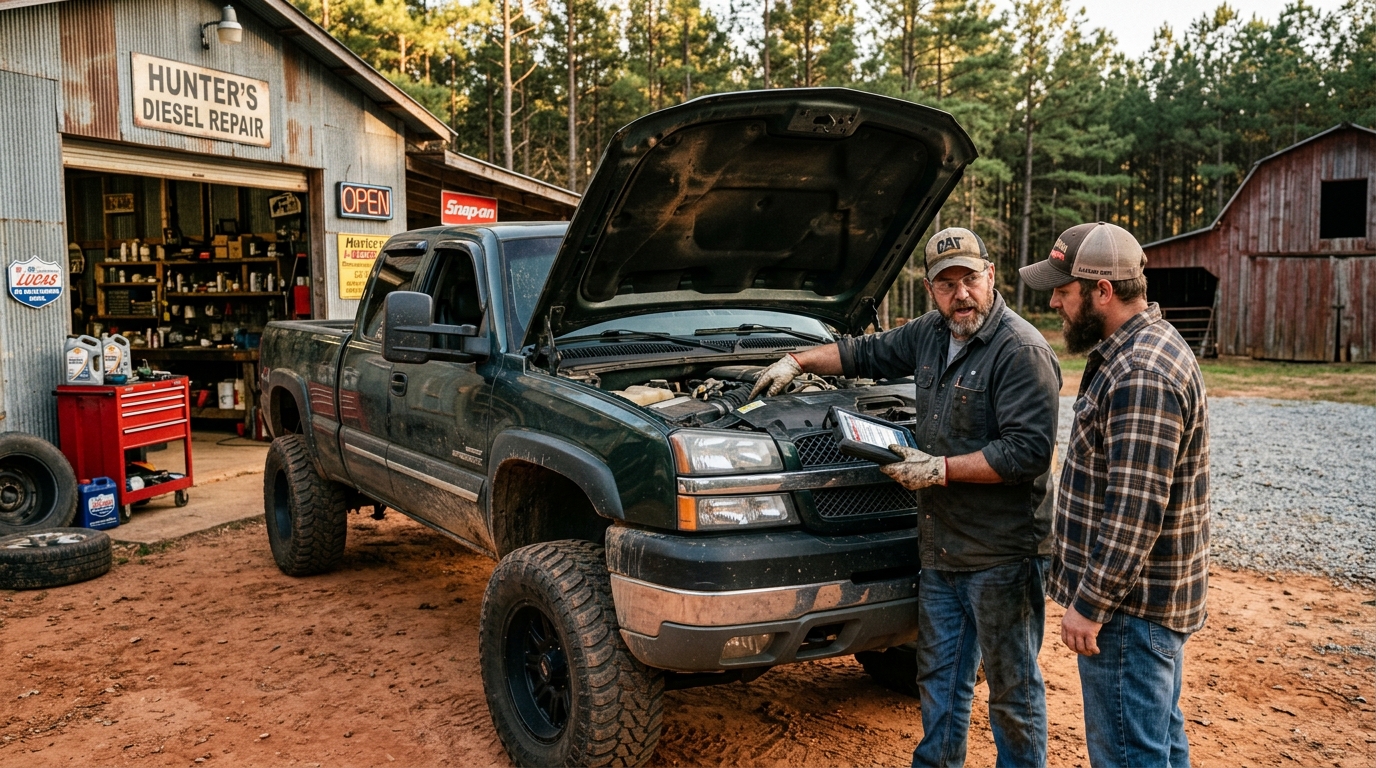
If you own a diesel truck in North Alabama, you already know one thing for sure: these trucks are tough,
Diesel Truck Care in North Alabama: What Every Truck Owner Must Know Read Post »

That clunk when you hit a pothole. That squeak every time you go over a speed bump. These noises are
Warning Signs: Noises Your Suspension Makes on Bumps Read Post »

If you live in Alabama, you already know the summers here are no joke. The heat creeps up fast, humidity
Synthetic vs. Conventional Oil: The Alabama Verdict , Which One Really Wins? Read Post »
Brian's Buddies - Vehicle Subscription Program
We firmly believe that the internet should be available and accessible to anyone, and are committed to providing a website that is accessible to the widest possible audience, regardless of circumstance and ability.
To fulfill this, we aim to adhere as strictly as possible to the World Wide Web Consortium’s (W3C) Web Content Accessibility Guidelines 2.1 (WCAG 2.1) at the AA level. These guidelines explain how to make web content accessible to people with a wide array of disabilities. Complying with those guidelines helps us ensure that the website is accessible to all people: blind people, people with motor impairments, visual impairment, cognitive disabilities, and more.
This website utilizes various technologies that are meant to make it as accessible as possible at all times. We utilize an accessibility interface that allows persons with specific disabilities to adjust the website’s UI (user interface) and design it to their personal needs.
Additionally, the website utilizes an AI-based application that runs in the background and optimizes its accessibility level constantly. This application remediates the website’s HTML, adapts Its functionality and behavior for screen-readers used by the blind users, and for keyboard functions used by individuals with motor impairments.
If you’ve found a malfunction or have ideas for improvement, we’ll be happy to hear from you. You can reach out to the website’s operators by using the following email
Our website implements the ARIA attributes (Accessible Rich Internet Applications) technique, alongside various different behavioral changes, to ensure blind users visiting with screen-readers are able to read, comprehend, and enjoy the website’s functions. As soon as a user with a screen-reader enters your site, they immediately receive a prompt to enter the Screen-Reader Profile so they can browse and operate your site effectively. Here’s how our website covers some of the most important screen-reader requirements, alongside console screenshots of code examples:
Screen-reader optimization: we run a background process that learns the website’s components from top to bottom, to ensure ongoing compliance even when updating the website. In this process, we provide screen-readers with meaningful data using the ARIA set of attributes. For example, we provide accurate form labels; descriptions for actionable icons (social media icons, search icons, cart icons, etc.); validation guidance for form inputs; element roles such as buttons, menus, modal dialogues (popups), and others. Additionally, the background process scans all the website’s images and provides an accurate and meaningful image-object-recognition-based description as an ALT (alternate text) tag for images that are not described. It will also extract texts that are embedded within the image, using an OCR (optical character recognition) technology. To turn on screen-reader adjustments at any time, users need only to press the Alt+1 keyboard combination. Screen-reader users also get automatic announcements to turn the Screen-reader mode on as soon as they enter the website.
These adjustments are compatible with all popular screen readers, including JAWS and NVDA.
Keyboard navigation optimization: The background process also adjusts the website’s HTML, and adds various behaviors using JavaScript code to make the website operable by the keyboard. This includes the ability to navigate the website using the Tab and Shift+Tab keys, operate dropdowns with the arrow keys, close them with Esc, trigger buttons and links using the Enter key, navigate between radio and checkbox elements using the arrow keys, and fill them in with the Spacebar or Enter key.Additionally, keyboard users will find quick-navigation and content-skip menus, available at any time by clicking Alt+1, or as the first elements of the site while navigating with the keyboard. The background process also handles triggered popups by moving the keyboard focus towards them as soon as they appear, and not allow the focus drift outside it.
Users can also use shortcuts such as “M” (menus), “H” (headings), “F” (forms), “B” (buttons), and “G” (graphics) to jump to specific elements.
We aim to support the widest array of browsers and assistive technologies as possible, so our users can choose the best fitting tools for them, with as few limitations as possible. Therefore, we have worked very hard to be able to support all major systems that comprise over 95% of the user market share including Google Chrome, Mozilla Firefox, Apple Safari, Opera and Microsoft Edge, JAWS and NVDA (screen readers).
Despite our very best efforts to allow anybody to adjust the website to their needs. There may still be pages or sections that are not fully accessible, are in the process of becoming accessible, or are lacking an adequate technological solution to make them accessible. Still, we are continually improving our accessibility, adding, updating and improving its options and features, and developing and adopting new technologies. All this is meant to reach the optimal level of accessibility, following technological advancements. For any assistance, please reach out to


